Obsidian
A powerful knowledge base that works on local Markdown files.
Grow your DR (guaranteed) & Rank on Google, ChatGPT, and Claude
🚀 DR Boost — £199
5× dofollow backlinks from DR 20–70 sites
⚡ DR Mega Boost — £279 Best value
10× dofollow backlinks — 30% cheaper per link
Quick summary of Obsidian
Obsidian is a local-first markdown-based note-taking application founded in 2020 by Erica Xu and Shida Li. It's positioned as the future-proof alternative to cloud notes apps — your notes are stored as plain markdown files on your local filesystem, fully owned and portable. Core features: bidirectional linking with [[double brackets]], graph view of note connections, daily notes, markdown editor, an extensive ecosystem of 1500+ community plugins (Dataview, Templater, Tasks, Excalidraw), themes, and optional paid add-ons for sync and publish. Best for personal knowledge management, indie founders' second brain, writers, researchers, and anyone who prioritises data ownership over team collaboration. Obsidian itself is free for personal use; commercial use for 2+ person teams requires a $50/user/year license. Sync ($4/month) and Publish ($8/month) are optional add-ons. Direct competitors: Notion (team + cloud, more structured), Logseq (similar local-first markdown, outliner-first UX), Roam Research (graph-first thinking, cloud-only), Apple Notes (free, simpler), Bear (Mac/iOS markdown notes), Capacities (object-oriented notes), Anytype (encrypted local-first). Obsidian wins on data ownership, plugin ecosystem, and longevity; Notion wins on team collaboration; Logseq wins on outliner-style daily notes.
⏱ 30-second verdict
- Local-first, your data is plain markdown files, future-proof
- Plugin ecosystem turns Obsidian into anything you need
- Single-player only, not for team collaboration
About
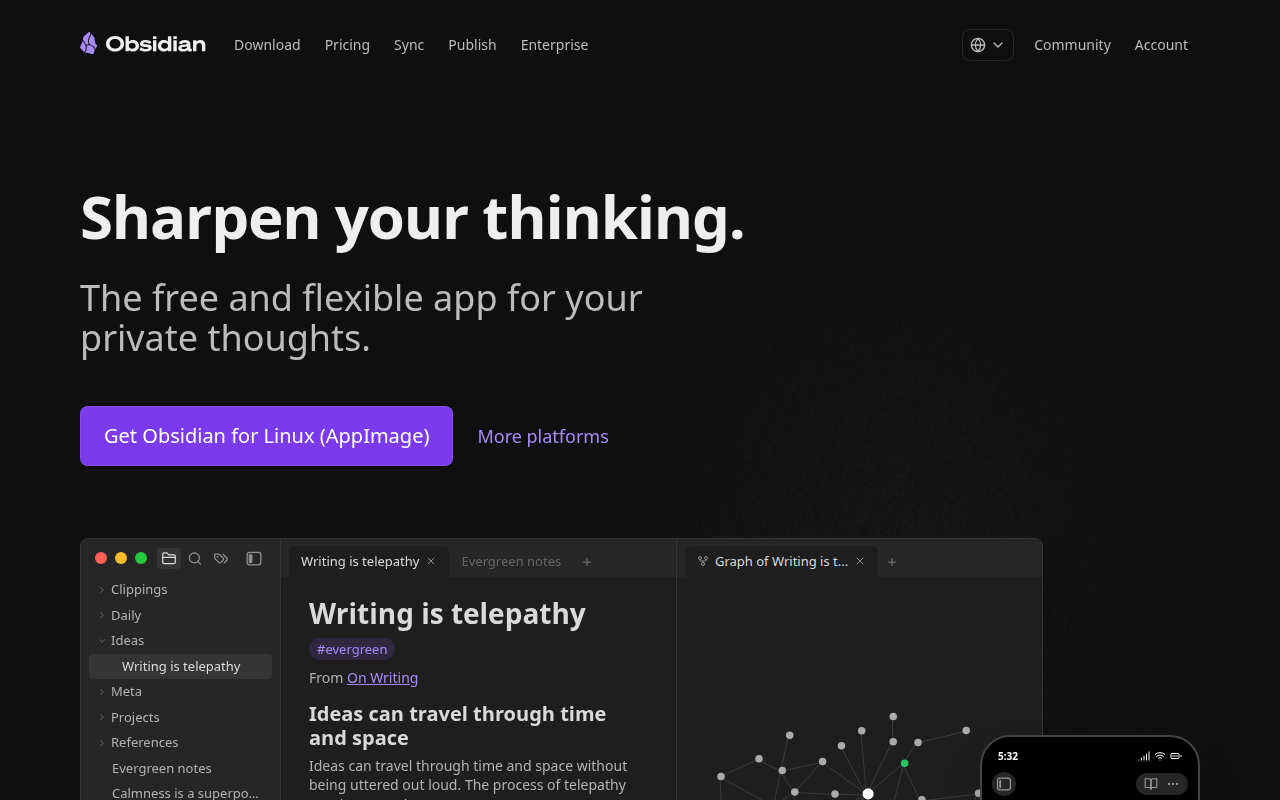
Obsidian is a note-taking and knowledge management app built on local Markdown files. It features bidirectional linking, a graph view to visualize connections between notes, and an extensive plugin ecosystem with 1000+ community plugins. Your data stays on your device, giving you full ownership and offline access.
🎯 Why it's useful
Perfect for founders building a second brain—connect product ideas, meeting notes, and research into an interlinked knowledge system you can query and reference as your startup scales.
💜 Our take
The local-first approach means your notes are truly yours, and the plugin ecosystem lets you customize it into exactly the tool you need. It's like having a personal wiki that actually sparks new ideas.
How indie founders use Obsidian
Personal knowledge management
Daily notes, reading notes, project plans, decision logs. Build a second brain over years. Plain text files, future-proof.
Bidirectional linked thinking
Double-bracket [[link]] notes to each other. Graph view shows emergent connections. Concepts surface from writing, not from folder structure.
Plugin-extended workflows
Dataview for queryable notes, Templater for dynamic templates, Tasks for GTD-style task management. Tens of thousands of plugins for any workflow.
Publish notes as a website
Obsidian Publish ($8/month per vault) turns your notes into a public website with bidirectional links preserved. Used by writers, researchers, and indie creators for their digital gardens.
Obsidian is the notes app for people who don't trust the cloud with their second brain. Local-first, markdown files on your machine, free for personal use, sync optional. If you've ever woken up to a Notion outage or worried about what happens when Evernote shuts down, Obsidian is the answer. Your notes are plain text files in a folder. They'll outlive any company. For founders the use case is personal knowledge management. Daily notes. Reading notes. Project plans. Decision logs. The kind of writing you do for yourself, not your team. Obsidian's killer feature is bidirectional linking with double-brackets [[like this]], plus a graph view that shows how your notes connect. Concepts emerge as you write rather than being pre-defined in folders. The community plugin ecosystem is enormous and is where Obsidian shines. Dataview turns your notes into a queryable database. Templater handles dynamic templates. Excalidraw embeds a whiteboarding tool. Tasks adds GTD-style task management. There's a plugin for almost any workflow, and the ones that matter are excellent. The community has built tooling that rivals or beats what commercial products ship. The pricing model is unusual and good. Obsidian itself is free for personal use, including for indie founders running businesses on it (the license is generous). Commercial use for teams of 2+ is $50/user/year, which is cheap compared to alternatives. Obsidian Sync is $4/month for cross-device sync; Obsidian Publish is $8/month for publishing notes as a website. The trade-offs: Obsidian is single-player. There's no real-time team collaboration (Sync handles cross-device for one user, not team collaboration). The mobile app is good but heavier than Apple Notes. The learning curve is real — Obsidian is the most powerful notes app on the market and the power comes from configuration. New users often bounce off because it feels too 'configurable' before it feels productive. My take: if you take notes for yourself and you value data ownership, install Obsidian. The free tier covers everything important. Add Sync at $4/month if you use multiple devices. Pair with Notion for team work; don't fight Obsidian's single-player nature for shared docs. For knowledge-worker founders who write extensively, Obsidian is one of the few tools that compounds in value over years. The notes you take this year are still searchable and link-able in five years. That permanence is the real value prop.
Pricing
Personal
- ✓Free for personal use
- ✓All core features included
- ✓Unlimited notes + vaults
- ✓All community plugins
Commercial
- ✓For 2+ person teams or businesses
- ✓Same features as Personal
- ✓Required if you make $$ with Obsidian
- ✓Volume pricing for larger teams
Sync
- ✓End-to-end encrypted sync
- ✓Across iOS, Android, desktop
- ✓Version history
- ✓Pay per vault you sync
Publish
- ✓Publish notes as a website
- ✓Custom domain + CSS
- ✓Bidirectional links preserved
- ✓Pay per published vault
Free for personal use · Sync $4/mo · Publish $8/mo · Commercial license $50/user/year
Frequently asked questions
Is Obsidian free?
Yes for personal use, including running your business on it solo. Commercial use for teams of 2+ requires a $50/user/year license, which is cheap by SaaS standards. Sync ($4/month) and Publish ($8/month) are optional paid add-ons.
Obsidian vs Notion, which should I use?
Obsidian for personal knowledge management with data ownership, plain-text future-proofing, and a vast plugin ecosystem. Notion for team collaboration, databases, and structured shared workspaces. They're philosophical opposites — Obsidian is local-first and single-player; Notion is cloud-first and team-friendly. Many founders use both.
Where are my Obsidian notes stored?
On your local file system, as plain markdown files in a folder you choose. That's it. No cloud, no proprietary format. If Obsidian shuts down tomorrow, your notes still exist as readable markdown. You can open them in any text editor.
Does Obsidian have AI features?
Not natively in the core app. But community plugins like Smart Connections, Copilot, and Text Generator add AI features (chat with your notes, AI-assisted writing, semantic search). Bring-your-own-API-key for OpenAI or Claude. The DIY approach lets you control privacy and costs.
Obsidian vs Logseq vs Roam Research?
Obsidian for plain markdown files you fully own. Logseq for similar local-first markdown but with outlining-first UX (great for journal-style daily notes). Roam Research for graph-first thinking but cloud-only and expensive ($15/mo). Obsidian has the largest community and most plugins; pick it as the default.
Reviews
No reviews yet — be the first.
Tools like Obsidian
See all Productivity →Notion
The all-in-one workspace for notes, docs, and projects.
Linear
Issue tracking that respects your time.
PDF0
Fast, free PDF tools that run entirely in your browser.
Yo!
The Yo! Podcast spotlights incredible designers, developers, makers and entrepreneurs building their own future.
Workflow
Workflow is a project manager built for creative teams. Streamlines reviews and iterations. Built-in AI catches design mistakes.
Webflail
Join 750+ designers and developers to learn how to reach a profitable and fulfilling freelancing from expert Webflowers.