Notion
★ Editor's PickThe all-in-one workspace for notes, docs, and projects.
Grow your DR (guaranteed) & Rank on Google, ChatGPT, and Claude
🚀 DR Boost — £199
5× dofollow backlinks from DR 20–70 sites
⚡ DR Mega Boost — £279 Best value
10× dofollow backlinks — 30% cheaper per link
Quick summary of Notion
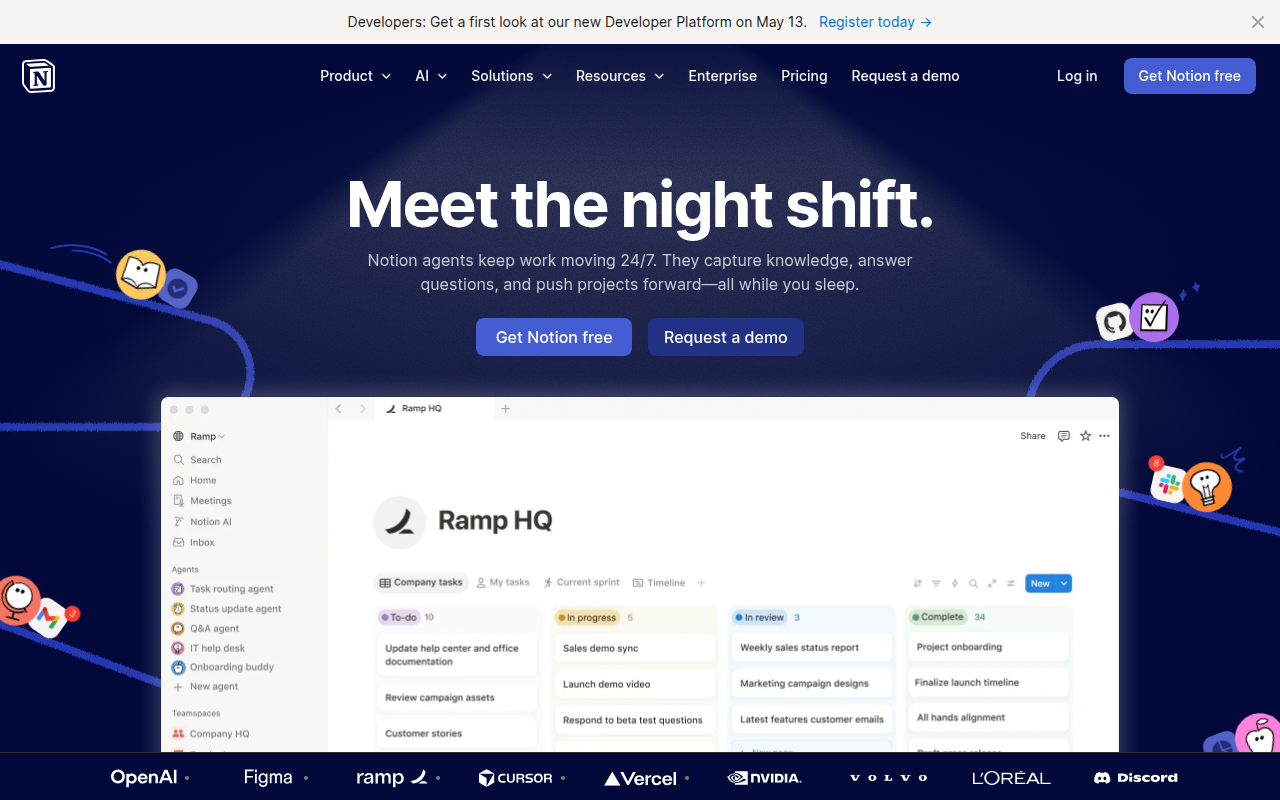
Notion is an all-in-one workspace platform combining wiki, notes, databases, and project management, founded in 2013 by Ivan Zhao and Simon Last. It's the default knowledge-management tool for modern startups and remote teams, with over 30 million users globally. Core features: pages with rich blocks (text, code, embeds, databases inline), databases with relations and multiple views (table, board, calendar, timeline, gallery), templates, integrations with Slack/GitHub/Figma, and Notion AI for writing assistance and workspace Q&A. Best for company wikis, lightweight CRMs, content planning, personal knowledge management, and any 'shared brain' need at a 1-200 person team. The free tier is genuinely usable; Plus is $10/user/month, Business $15/user/month, Notion AI is a $10/user/month add-on. Direct competitors: Confluence (enterprise + Atlassian ecosystem), Coda (databases-first), Obsidian (personal markdown, local-first), Roam Research (graph-based notes), Microsoft Loop (Microsoft 365 native), ClickUp (more project-focused). Notion wins on flexibility and ecosystem; Confluence wins on enterprise; Obsidian wins on privacy and local-first.
⏱ 30-second verdict
- Wiki + database + task manager in one tool, kills 3 SaaS subscriptions
- Database views (board, calendar, gallery) are genuinely unique
- Without discipline, workspaces become chaotic sprawls
About
Flexible blocks combine docs, wikis, project management, databases, and calendars. Pages can be nested, linked, and templated.
🎯 Why it's useful
Replaces Confluence + Trello + Google Docs + Airtable for many teams. Cheap to start, scales surprisingly well.
💜 Our take
You can be productive on day one without reading docs. The keyboard shortcuts are world-class.
Key Features
Integrations
✓ Best for
Solo founders and small teams who need a single source of truth for docs, task tracking, and knowledge management. Product teams, content creators, and operations-focused founders get the most value.
✗ Not ideal for
Teams needing real-time code collaboration or heavy automation without workarounds. Large enterprises requiring advanced permission controls and compliance features may find Notion's admin tools limiting.
How indie founders use Notion
Company wiki
Onboarding docs, engineering runbooks, product specs, policies. The single most common Notion use case. Replaces Confluence for most modern teams.
Custom CRM or database
Build a CRM, content calendar, or customer feedback DB with relations plus formulas. Less powerful than Airtable but more flexible with text.
Founder's personal OS
Notes, journal, reading list, tasks, goals. All linkable. Many indie founders run their personal operating system in Notion.
Public-facing site
Notion-as-website (via plans like Plus) for landing pages, changelogs, or simple sites. Quick and clean. Serious sites graduate to Framer or Webflow.
Notion is the everything-document. Wiki, database, task manager, notes app, light CRM, project planner, personal journal, half the documentation pages on the internet. The breadth is the appeal and also the trap. Every team that adopts Notion eventually has a chaotic workspace with three pages titled 'Roadmap', four databases that overlap, and a sidebar nobody can navigate. For founders, Notion is genuinely valuable if you discipline yourself. The databases are powerful. Real relations between collections, formulas, rollups, views (table, board, calendar, timeline, gallery) that all share the same underlying data. You can build a custom CRM, a customer feedback DB, a content calendar, or a product roadmap in an afternoon. The pages-with-databases-inside model is still unique to Notion and remains its strongest moat. Notion AI ($10/user/month add-on) is now genuinely useful. Summarise meeting notes, draft pages from prompts, write SQL queries against your databases. It's less ambitious than the all-encompassing 'agent' play from some competitors but more reliable for everyday writing tasks. Worth the $10 if you have a few teammates. The annoyances are well-documented. Notion is slow. Large workspaces feel laggy compared to Apple Notes or Obsidian. Mobile apps are workable but never quite as fluid as desktop. The free tier is real and usable but team features (advanced permissions, version history, audit log) hide behind Business and Enterprise. And the open-ended nature means every team's Notion looks different. Onboarding new people into a sprawl is painful. Where Notion truly wins: company wikis, lightweight CRM, content planning, and any 'we need a shared brain' situation. Where it loses: real engineering issue tracking (use Linear), real customer support (use Intercom or Plain), real spreadsheets (use Airtable or actual Excel). My advice for early-stage startups: yes, use Notion. But spend an hour on day one designing a structure (categories, templates, naming conventions). You'll save days of re-organising later. And resist the temptation to make Notion do everything. The teams that get the most out of Notion are the ones that use it as a wiki plus a few opinionated databases, not as the One Tool.
Pricing
Free
- ✓Unlimited pages + blocks
- ✓10 guests
- ✓7-day page history
- ✓Basic integrations
Plus
- ✓Unlimited file uploads
- ✓100 guests
- ✓30-day history
- ✓Custom websites
Business
- ✓SAML SSO
- ✓Private team spaces
- ✓90-day history
- ✓Bulk export
Notion AI add-on
- ✓AI writing + summarisation
- ✓Q&A across workspace
- ✓Available on any plan
Free · Plus $12/mo · Business $27/mo · Enterprise custom
Frequently asked questions
Is Notion free?
Yes. The free tier supports unlimited pages and blocks, 10 guests, and 7 days of page history. Plus at $10/user/month adds unlimited file uploads, custom websites, and 30-day history. Notion AI is a $10/user/month add-on on any plan.
Notion vs Obsidian, which should I use?
Notion for team collaboration, databases, and structured knowledge management. Obsidian for personal, plain-text-first markdown notes with extreme privacy (local-first). Notion is a team product; Obsidian is a solo product. Some founders use both: Notion for the team, Obsidian for personal notes.
Can Notion replace Confluence?
Yes, for most teams under 200 people. Notion is faster, cheaper, and more flexible for company wikis. Confluence wins for deep Atlassian-ecosystem integration (Jira, Bitbucket) and ultra-strict enterprise permissions.
Is Notion AI worth $10/user/month?
Yes for working knowledge teams. Summarising meeting notes, drafting pages from prompts, asking questions across your workspace ('what did we decide about pricing in November?') saves real time. Less useful for personal notes.
Can I export my Notion workspace?
Yes. Full workspace export to Markdown plus CSV is available on all plans. The export preserves page structure and database content but loses some Notion-specific formatting (toggle blocks, nested databases). Plan for some manual cleanup if migrating.
Reviews
No reviews yet — be the first.
Tools like Notion
See all Productivity →Linear
Issue tracking that respects your time.
PDF0
Fast, free PDF tools that run entirely in your browser.
Yo!
The Yo! Podcast spotlights incredible designers, developers, makers and entrepreneurs building their own future.
Workflow
Workflow is a project manager built for creative teams. Streamlines reviews and iterations. Built-in AI catches design mistakes.
Webflail
Join 750+ designers and developers to learn how to reach a profitable and fulfilling freelancing from expert Webflowers.
Variable Font Course
In this course Arthur Reinders Folmer will learn how to create your own variable font from scratch.