Google Vids
Create professional videos with AI in Google Workspace.
Need an MVP like Google Vids?
We'll build it in less than 7 days. Book a free discovery call with Tiny Startup Studio.
Book free discovery call →Quick summary of Google Vids
Google Vids is Google's AI-powered video creation tool within Google Workspace, launched in 2024 as the video equivalent of Google Docs/Sheets/Slides. Extends Workspace from documents + spreadsheets + presentations into video creation with AI generation, collaborative editing, and native Workspace integration. Strategic positioning: become the default video creation tool for Workspace customers (parallel to Microsoft launching Clipchamp for Microsoft 365 customers). Distinguished from dedicated AI video tools (InVideo AI, Synthesia, CapCut) by Workspace ecosystem advantages — Drive storage, Slides embedding, Gmail sharing all native; and by bundled pricing (free for Business Standard+ subscribers). Core features: Gemini AI-powered script generation from topic prompts, AI scene generation from script, Google's stock library (video + photos + music via Google Photos + integrated stock services), natural-sounding AI voiceover in multiple languages, pre-built business video templates (training, marketing, internal comms), multi-user collaborative editing with Workspace's familiar model, comments + suggestions workflow from Google Docs/Slides, native Workspace integration (embed in Slides, link in Docs, share via Drive), recording + screen capture for explainers, royalty-free music + sound effects, multi-format export (9:16 vertical, 1:1 square, 16:9 landscape), branded templates for organization-wide use, iOS + Android mobile apps, automatic captions transcription, Workspace-style version history, async review workflow with comments. Best for internal training videos (onboarding, policy, process documentation), sales enablement videos (customer-facing explainers + demos), customer communication videos (release notes, announcements), marketing video content at modest scale, team announcements + async updates, educational content for Workspace for Education customers, HR communications (recruiting, benefits, culture), Workspace presentation enhancement embedding videos in Slides, quick internal how-to videos as documentation alternative. Pricing: requires Google Workspace subscription — Business Starter at $7/user/month does NOT include Vids, Business Standard at $14/user/month includes Vids, Business Plus at $22/user/month includes Vids + advanced features, Enterprise custom. Cannot be purchased standalone. Direct competitors: Microsoft Clipchamp (M365 equivalent, parallel ecosystem play), InVideo AI ($25+/month, standalone with more comprehensive AI), Synthesia ($30+/month, AI avatar specialist), HeyGen (AI avatar competitor), CapCut (free, consumer short-form), Tella ($19+/month, polished screen recording), VEED ($25+/month, browser-based broader video editing), Pictory ($19+/month, script-to-video), Adobe Express (Adobe creative suite video features), Canva Video (Canva's video features), Premiere Pro ($22.99/month, professional desktop). Google Vids wins on Workspace integration + bundled pricing for Workspace customers + Gemini AI; Clipchamp wins on Microsoft 365 ecosystem; InVideo AI wins on standalone comprehensive features; Synthesia wins on AI avatar polish; CapCut wins on free + mobile + short-form social; dedicated tools win for non-Workspace customers + premium video quality.
⏱ 30-second verdict
- Effectively free for Google Workspace Business Standard+ customers — Drive/Slides/Gmail integration native
- Gemini AI + Workspace collaboration model + native integration = compelling for Workspace customers
- Feature depth lags dedicated tools (InVideo AI, Synthesia, CapCut); only available with Workspace subscription
About
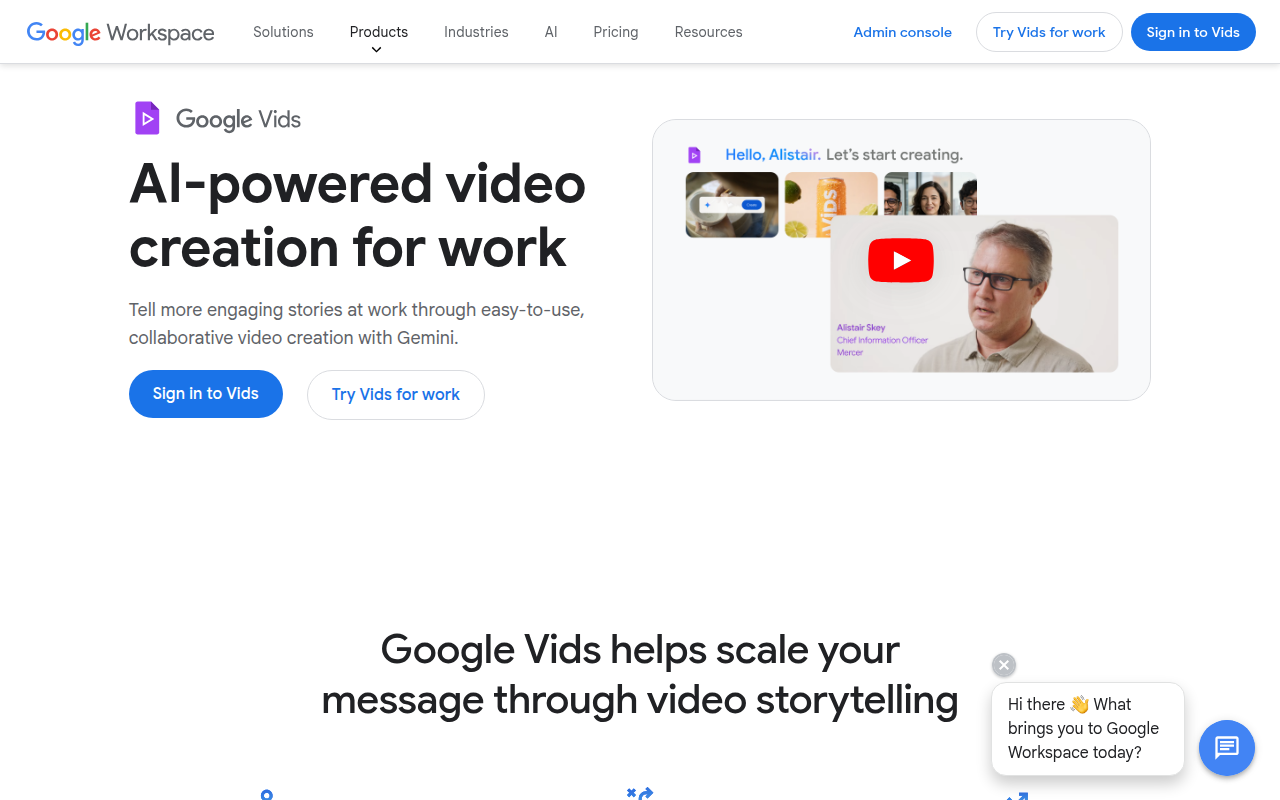
Google Vids is an AI-powered video creation app built into Google Workspace. It lets you generate scripts, storyboards, and full videos using Gemini AI, with access to stock media, text-to-speech narration, and collaborative editing features familiar from Google Docs.
🎯 Why it's useful
Startup founders can quickly create training videos, product demos, and internal communications without video editing skills or hiring a production team.
💜 Our take
It's stupidly easy if you're already in the Google ecosystem—just describe what you want and AI handles the heavy lifting. Real-time collaboration means your whole team can contribute.
How indie founders use Google Vids
Internal training videos
Onboarding, policy training, process documentation. Bundled with Workspace = effectively free for these use cases.
Sales enablement videos
Customer-facing explainers + product demos. Integrated with Workspace ecosystem for distribution.
Internal team announcements
Async video communication for distributed teams. Familiar Docs/Slides collaboration model applied to video.
Workspace presentation enhancement
Embed videos in Slides for richer presentations. Native integration vs awkward third-party tool inserts.
Google Vids is Google's AI-powered video creation tool within Google Workspace, launched in 2024 as the video equivalent of Google Docs/Sheets/Slides. The pitch is direct: extend Google Workspace from documents + spreadsheets + presentations into video creation, with AI generation + collaborative editing + native Workspace integration making business video accessible to anyone with a Google account. For Google Workspace customers wanting to add video to their content workflows without learning Premiere or buying separate tools, Google Vids is the natural choice — but the product is still maturing and trails dedicated alternatives in some areas. What makes Google Vids interesting is the Workspace integration + AI generation + free with Workspace + native collaboration. The product strategy is clear: Google wants Vids to be the default video creation tool for Workspace customers (Microsoft launched Clipchamp for similar reasons in 365). The integration with Google Drive (storage), Google Photos (media), Google Slides (presentation integration), and Gmail (sharing) creates ecosystem advantages that standalone tools can't match. The AI features (Gemini-powered script generation, scene generation, voiceover) match modern AI video tools (InVideo AI, Pictory) for business video use cases. The core feature set: • **AI script generation** — Gemini-powered scripts from topic prompts • **Scene generation** — AI generates video scenes from script • **Stock library** — Google's library of stock video + photos + music (via Google Photos + integrated stock services) • **AI voiceover** — natural-sounding voices in multiple languages • **Templates** — pre-built templates for business video use cases (training, marketing, internal comms) • **Collaborative editing** — multi-user editing with Google Workspace's collaboration model • **Comments + suggestions** — workflow familiar from Google Docs/Slides • **Direct Workspace integration** — embed in Slides, link in Docs, share via Drive • **Recording + screen capture** — record video + screen for explainers • **Music + sound effects** — royalty-free library • **Multi-format export** — 9:16 vertical, 1:1 square, 16:9 landscape • **Branded templates** — Workspace admin can configure brand templates for organization • **Mobile editing** — iOS + Android apps for on-go editing • **Auto-captions** — automatic transcription + captions • **Version history** — Workspace-style version control • **Comments + reviews** — async review workflow For Google Workspace customers + business teams the use cases: • **Internal training videos** — onboarding, policy training, process documentation • **Sales enablement videos** — customer-facing explainers + product demos • **Customer communication** — release notes videos, announcement videos • **Marketing video content** — social media + landing page video at modest scale • **Team announcements + updates** — async video communication • **Educational content** — for educational institutions using Workspace for Education • **HR communications** — recruiting video, benefits explainers, culture content • **Workspace presentations enhancement** — embed videos in Slides for richer presentations • **Quick how-to videos** — internal documentation video format The pricing is included with most Google Workspace tiers. Business Standard ($14/user/month) and above include Google Vids. Business Starter ($7/user/month) does not include Vids. For Workspace customers paying for Business Standard+, Vids is essentially free vs paying separately for InVideo AI ($25+/month) or similar. Non-Workspace users cannot access Vids as standalone product. The bundling strategy: Vids is a reason to upgrade from Business Starter to Standard or stay with Workspace vs migrating to Microsoft 365. Where Google Vids wins clearly: native Google Workspace integration is the killer feature for Workspace customers — Drive storage, Slides embedding, Gmail sharing all work seamlessly; the collaboration model (real-time editing + comments + suggestions) feels familiar from Docs/Sheets/Slides; AI features are competitive with dedicated AI video tools; pricing is effectively free for Business Standard+ subscribers; the Gemini integration brings strong AI capabilities to video creation. Where it loses: feature depth lags dedicated tools (InVideo AI has more stock content, Synthesia has better avatars, CapCut has better mobile editing); creative quality output is recognisably 'Google Vids' aesthetic vs the variety in dedicated tools; for high-end marketing video, dedicated production still wins; not available outside Workspace tiers (can't try standalone); ecosystem advantage only matters for Workspace customers (non-Workspace teams have no reason to switch); product is still maturing — features being added rapidly but currently behind market leaders. My take: for Google Workspace Business Standard+ customers wanting to add video to their content mix — Google Vids is the right call given it's bundled free and the integration advantages are real. For Microsoft 365 customers, Clipchamp serves equivalent role. For non-bundled customers, dedicated tools (InVideo AI, CapCut, Tella, VEED) offer more depth + better outputs. The strategic pattern: if you're already paying for Workspace Business Standard+, use Vids as your default + supplement with dedicated tools for specific high-quality needs. If you're on Business Starter or non-Workspace, dedicated AI video tools remain the right call. Watch Google Vids closely — Google's investment is substantial + features are improving rapidly. By 2027-2028 expect Vids to match or exceed dedicated AI video tools in core features.
Pricing
Workspace Business Starter
- ✓Google Vids NOT included
- ✓Basic Workspace apps only
- ✓$7 tier excludes video
- ✓Upgrade required for Vids
Workspace Business Standard
- ✓Google Vids included
- ✓All AI features
- ✓Standard Workspace + Vids
- ✓Most common Workspace tier
Workspace Business Plus
- ✓Google Vids + advanced features
- ✓Higher storage limits
- ✓Enhanced security
- ✓Premium Workspace tier
Workspace Enterprise
- ✓All Workspace + Vids features
- ✓Advanced security + compliance
- ✓Custom integrations
- ✓Enterprise scale
Included with Google Workspace plans starting at ₹136/user/mo (Gemini add-on required for AI features)
Frequently asked questions
Google Vids vs InVideo AI?
For Google Workspace Business Standard+ customers, Vids is bundled free + integrates with Workspace ecosystem. InVideo AI is standalone with more comprehensive AI features + larger stock library ($25+/month). For Workspace customers doing modest business video, Vids. For non-Workspace customers or those needing more comprehensive features, InVideo AI. Many companies use both — Vids for internal Workspace content, InVideo AI for marketing.
Can I use Google Vids without Workspace?
No — Google Vids requires Google Workspace Business Standard ($14/user/month) or higher subscription. Business Starter at $7/user/month does NOT include Vids. Non-Workspace users cannot access Vids as standalone product. For non-Workspace teams, dedicated AI video tools (InVideo AI, CapCut, Tella, VEED) are the path.
Google Vids vs Microsoft Clipchamp?
Parallel products from competing ecosystems. Clipchamp is included with Microsoft 365 Personal/Family/Business; Vids is included with Workspace Business Standard+. Both offer AI features + ecosystem integration. Choice depends entirely on which productivity suite your organization uses. Feature parity is rough; pick based on existing ecosystem commitments.
How is Vids' AI compared to dedicated AI video tools?
Decent but trailing market leaders. Gemini-powered AI script generation + scene generation works well. Voiceover quality competitive. Stock library smaller than InVideo AI. AI avatars lag Synthesia + HeyGen. For mainstream business video use cases (training, internal comms, simple marketing), Vids' AI is sufficient. For premium AI video features, dedicated tools still better.
Can I edit Google Vids on mobile?
Yes — iOS + Android apps available for editing on-go. Mobile experience is reasonable but desktop web is the primary editing environment. For mobile-first video editing workflows (TikTok-style content creation), CapCut is dramatically better. Vids' mobile is for review + minor edits not primary creation.
Reviews
No reviews yet — be the first.
Tools like Google Vids
See all Video →Boom for Mac
Create stunning product videos and demos on your Mac.
Videotok
Turn text and ideas into viral short-form videos instantly.
RSW Sora 2 AI Studio
Create stunning AI videos with Sora 2 technology instantly.
Cap
Beautiful, shareable screen recordings and screenshots in seconds.
Submagic
AI-powered captions and editing for viral short-form videos.
Clipwing
Turn long videos into short, shareable clips automatically.