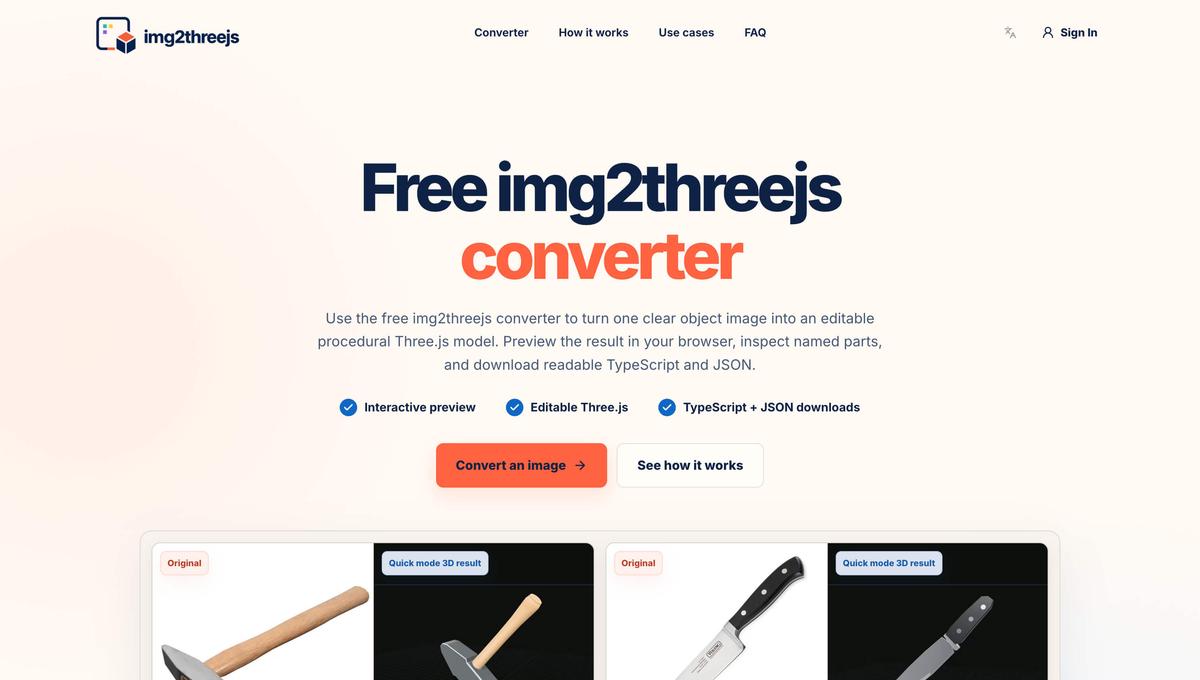

Img2threejs converter online
img2threejs is a online image to Three.js converter.
img2threejs: Convert Images into Editable Three.js Models Introduction img2threejs is an image-to-Three.js converter that turns reference images into editable procedural 3D models. Upload a clear image of an object, preview the generated model in your browser, and export readable Three.js TypeScript code and a structured JSON specification. Unlike many image-to-3D tools that return a single opaque mesh, img2threejs creates named components, materials, geometry, and transforms. This makes the result easier to inspect, modify, animate, and integrate into a web application. img2threejs is designed for developers, designers, indie makers, and product teams that need a fast starting point for browser-based 3D. What Can You Use It For? Interactive Product Previews Convert a product photo into an initial interactive 3D model for e-commerce pages, product explainers, landing pages, and configurators. Because the output contains named parts, developers can change materials, highlight features, rotate components, or connect individual parts to clicks and application state. Game Prop Prototypes Create a structured draft of a tool, appliance, weapon, furniture item, or mechanical object before investing in final 3D modeling, texturing, collision geometry, and animation. Three.js Creative Coding Use the generated TypeScript as a foundation for WebGL experiments, educational projects, technical demonstrations, interactive storytelling, and browser-based visualization. The dimensions, materials, colors, components, lighting, and animation can all be modified with a normal Three.js and Git workflow. Technical and Educational Models Named components make it easier to explain how an object is assembled, highlight individual parts, and build interactive technical diagrams or educational experiences. How Does It Work? 1. Upload a Reference Image Upload a PNG or JPG containing one complete, clearly visible object. For better results, use an image with: A simple background Clear edges and silhouette Stable lighting Limited obstruction Enough resolution to show important details Product photos and isolated hard-surface objects usually work better than people, animals, hair, fabric, glass, smoke, or crowded scenes. Agent mode supports up to three reference images. Extra angles can help clarify hidden connections, controls, attachments, and smaller details. 2. Analyze the Object img2threejs examines the object’s silhouette, components, proportions, orientation, materials, repeated elements, and recognizable details. Visible parts can be reconstructed with greater confidence. Surfaces or connections that are not shown in the images must be approximated. 3. Build the Three.js Model The visible structure is converted into a validated procedural specification containing named parts, geometry, materials, dimensions, positions, rotations, and component relationships. A deterministic builder then assembles the specification into a structured Three.js scene. 4. Preview and Export The result appears in an interactive browser preview. You can orbit around the model, zoom in, inspect its structure, and compare it with the reference image. You can then export: Editable Three.js TypeScript A structured JSON model specification The TypeScript factory returns a reusable THREE.Group, allowing you to adjust dimensions, replace geometry, modify materials, attach events, or add animation. img2threejs currently focuses on editable code rather than GLB, OBJ, FBX, or STL export. Quick Mode and Agent Mode Quick Mode Quick mode is designed for fast experimentation and simple procedural drafts. It is useful for testing reference images, exploring ideas, previewing results, and downloading editable Three.js code. Quick mode includes three free generations per day. After the daily free allowance, each Quick generation costs 1 credit. Agent Mode Agent mode is intended for more detailed or complex objects. It uses a longer cloud workflow involving reference analysis, procedural construction, rendering, visual review, and refinement. Multiple reference images can be used to reduce uncertainty. Agent jobs continue running in the cloud even if you close the browser. Sign in again with the same Google account and open Generation history to check the progress or view the result. Agent mode is not free because it consumes significantly more AI model capacity and cloud computing resources.
Launched on Tiny Startups — Badge
Embed on your siteReviews
You might also like

Leadline
Find high-intent leads from Reddit, automatically.

Whisperchat AI
AI chatbot for website support

Mimic Minds
Conversational AI avatars and interactive digital humans

FlowShift
Enter deep work with AI-generated focus music

Parseflow
Evidence based, document extraction API built for solo devs.

LangPanda
Learn languages watching YouTube and Netflix

Stumble Again
Discover hidden gems from the depths of the internet.

Shadcn Examples
Reusable Shadcn UI Examples & Blocks

Warmly Cards
AI-powered personalized digital greeting cards

ZeroKeep
Fully private AI workspace that runs in your browser
Grow your DR (guaranteed) & Rank on Google, ChatGPT, and Claude
🚀 DR Boost — £199
5× dofollow backlinks from DR 20–70 sites
⚡ DR Mega Boost — £279 Best value
10× dofollow backlinks — 30% cheaper per link
You might also like
Leadline
Find high-intent leads from Reddit, automatically.
Whisperchat AI
AI chatbot for website support
Mimic Minds
Conversational AI avatars and interactive digital humans
FlowShift
Enter deep work with AI-generated focus music
Parseflow
Evidence based, document extraction API built for solo devs.
LangPanda
Learn languages watching YouTube and Netflix
Stumble Again
Discover hidden gems from the depths of the internet.
Shadcn Examples
Reusable Shadcn UI Examples & Blocks
Warmly Cards
AI-powered personalized digital greeting cards
ZeroKeep
Fully private AI workspace that runs in your browser