Figma
★ Editor's PickThe browser-based design tool everyone uses.
Grow your DR (guaranteed) & Rank on Google, ChatGPT, and Claude
🚀 DR Boost — £199
5× dofollow backlinks from DR 20–70 sites
⚡ DR Mega Boost — £279 Best value
10× dofollow backlinks — 30% cheaper per link
Quick summary of Figma
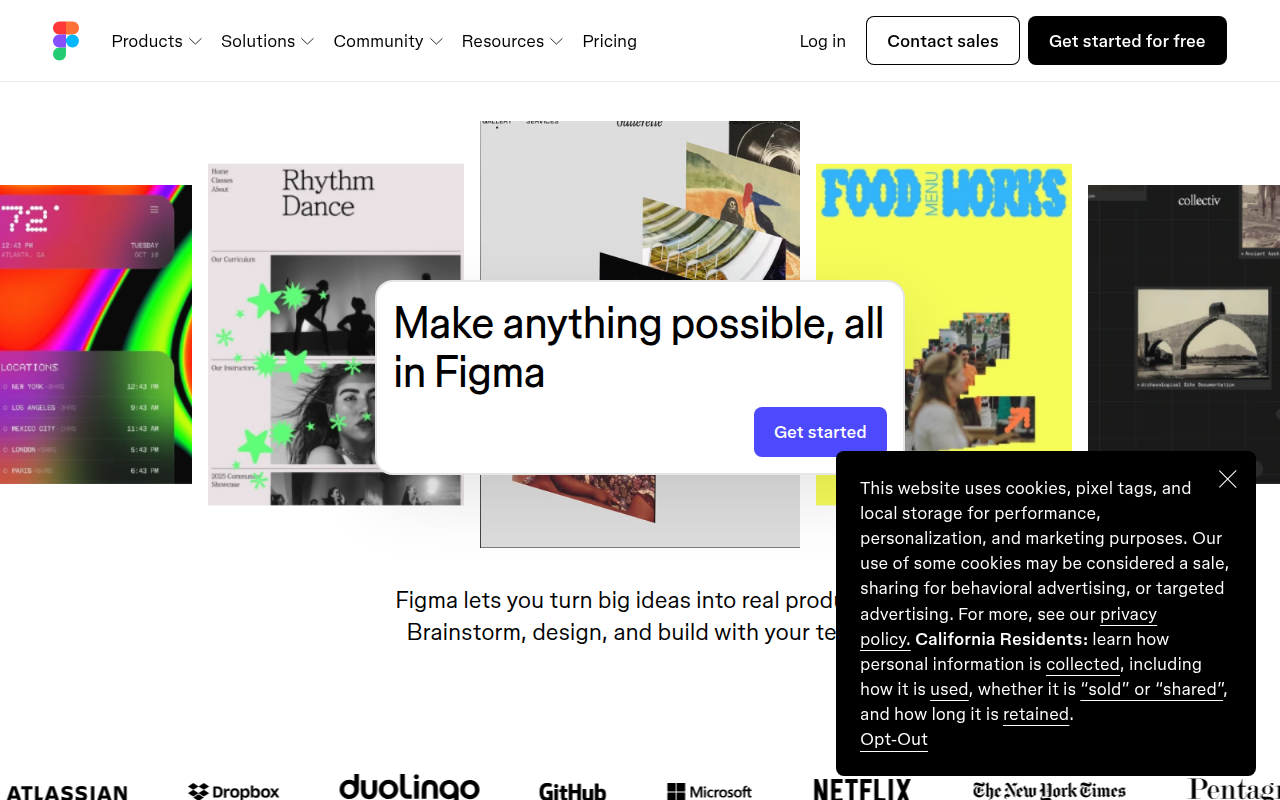
Figma is a browser-based collaborative design tool that lets multiple designers, engineers, and stakeholders work on the same canvas in real time. It's the de facto industry standard for product design in 2026, with over 4 million users. Best for UI/UX design, design systems, prototyping, and developer handoff via Dev Mode. The free Starter plan is limited to 3 files; Professional at $15 per editor per month is the real baseline. Dev Mode lets engineers inspect designs without paying for an editor seat. Direct competitors include Sketch (Mac-only, fading), Adobe XD (discontinued for new sales), Penpot (open-source alternative), and Framer (better for code-backed prototypes). Figma is owned by Adobe as of 2024 after the abandoned $20B acquisition.
⏱ 30-second verdict
- Industry-standard multiplayer design, every designer knows it
- Dev Mode means engineers don't need a paid seat
- Free tier capped at 3 files, most founders upgrade fast
About
Multiplayer vector design + prototyping + design systems + dev handoff in one canvas. Free tier supports unlimited personal files.
🎯 Why it's useful
Universal lingua franca for design. Every designer you hire already knows it.
💜 Our take
Auto Layout + Variables make design tokens that actually work for engineers.
Key Features
Integrations
✓ Best for
Product designers, design teams, and startups building digital products who need real-time collaboration. Solo makers and small teams benefit from the free tier's unlimited personal files.
✗ Not ideal for
Print designers or teams requiring advanced typography controls. Complex 3D work or pixel-perfect raster editing also belong in Photoshop.
How indie founders use Figma
Product UI design
From wireframes to high-fidelity mocks. Auto Layout handles responsive variants without designing every screen size by hand.
Design systems
Variables + Components + Styles let you build a token-based design system. Push updates from one library to every project that consumes it.
Async design review
Drop comments anywhere on the canvas. Stakeholders can review and respond without joining a meeting. Huge for distributed teams.
Pre-launch landing pages
Mock the landing page, get founder feedback, hand off to the dev. Faster than coding three variations to A/B test the messaging.
If you're designing a product in 2026, you're using Figma. Pretty much everyone is. The reason it won is multiplayer. Watching three people cursor around the same canvas in real time was the moment the industry shifted. Sketch was technically better in 2017 and it didn't matter. Figma changed how design happens. For a founder the question isn't whether to use Figma. It's how long you can stretch the free tier before you have to pay. The Free plan gives you 3 Figma files and 3 FigJam files. That's not enough for a real product. You'll be on the Professional plan ($15 per editor per month) within a couple weeks. If you're collaborating with a dev or copywriter who wants to make edits, both seats count. Dev Mode is the upgrade most founders sleep on. Engineers can now inspect designs, grab measurements, and copy CSS values without paying for an editor seat. That alone saves you $15 per dev per month versus the old setup where everyone needed full Figma. Variables and Auto Layout closed most of the gaps with code-side design systems. Figma is at its best for product UI work, design systems, and async review through canvas comments. It's not great for vector illustration (Illustrator still wins), motion design (use Rive or After Effects), or anything more interactive than a click-through prototype. Real talk: Figma's AI features rolled out slower than expected and feel like a catch-up. The new generative tools work but you wouldn't pick Figma for them. The Adobe acquisition got blocked but the company hasn't lost momentum. Pricing has crept up. None of that changes the recommendation. If you're designing screens, use Figma. The ecosystem (plugins, community files, jobs, education) compounds at this point. Whatever its flaws, fighting the default here costs you more than you save.
Pricing
Starter
- ✓3 Figma files
- ✓3 FigJam files
- ✓Unlimited viewers
- ✓Personal use only
Professional
- ✓Unlimited files
- ✓Version history
- ✓Shared libraries
- ✓Dev Mode included
Organization
- ✓Org-wide design system
- ✓Branching & merging
- ✓SSO + advanced security
- ✓Centralised admin
Free (unlimited personal files) · Professional $12/mo · Organization $60/mo · pay-as-you-go for shared team files
Frequently asked questions
Is Figma free?
There's a free Starter plan but it's capped at 3 Figma files and 3 FigJam files. Most serious projects exceed that in a week. Professional at $15 per editor per month is the realistic baseline.
Figma vs Sketch in 2026?
Figma, almost always. Sketch is still fine for Mac-only solo designers, but Figma's collaboration and active development make it the obvious choice for any team work.
Does Figma have AI features?
Yes. Figma AI rolled out in 2024 with generation from prompts, layer renaming, and component creation. The auto-rename feature alone saves hours on messy files. Honestly though, the AI tools feel like catch-up rather than category-leading.
Can developers view Figma files for free?
Viewers are always free. With Dev Mode enabled on Professional+, developers also get measurements, CSS, and inspect tools without needing an editor seat. Saves $15 per dev per month versus the old approach.
Does Figma work offline?
Mostly no. You can keep editing a file you already have open if you lose connection, but new files, libraries, and collaboration features require internet. Use a desktop alternative like Penpot for true offline work.
Reviews
No reviews yet — be the first.
Tools like Figma
See all Design →Webflow
No-code site builder that produces real CSS.
Yellow Images
The Largest Collection of PSD Mockups on the Internet!
Wise
The design system of Wise.
Who Can Use
A tool to show how color contrast can affect different people with visual impairments.
Websitevice
Website design examples for inspiration that get results instead of awards
webportfolios.dev
All-in-one developer platform for inspiration and developer growth.