Cursor
★ Editor's PickThe AI-native code editor that ships.
Grow your DR (guaranteed) & Rank on Google, ChatGPT, and Claude
🚀 DR Boost — £199
5× dofollow backlinks from DR 20–70 sites
⚡ DR Mega Boost — £279 Best value
10× dofollow backlinks — 30% cheaper per link
Quick summary of Cursor
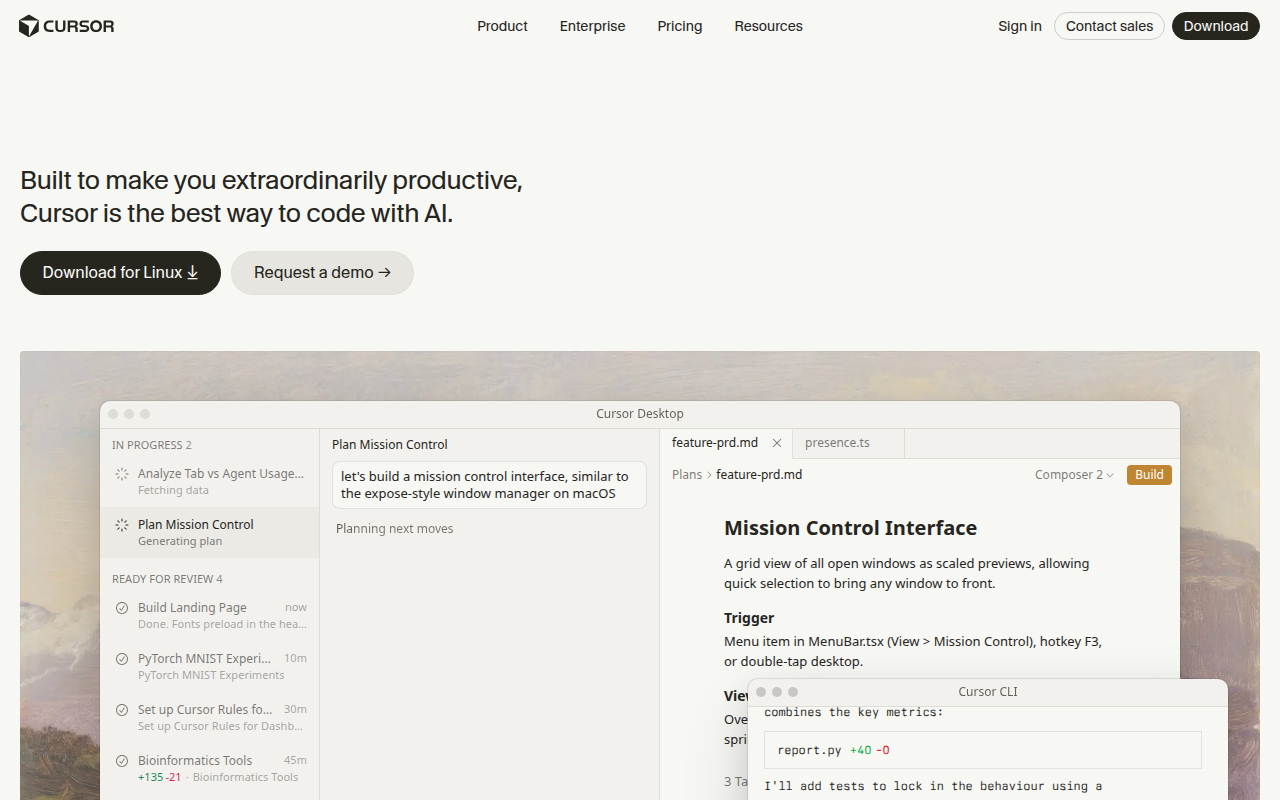
Cursor is an AI-native code editor built as a fork of VS Code by Anysphere (founded 2022 by MIT students Aman Sanger, Sualeh Asif, Arvid Lunnemark, and Michael Truell). It maintains full compatibility with VS Code's extension and keybind ecosystem while adding first-class AI features: Tab autocomplete, Cmd+K inline edits, Cmd+L repo-aware chat, and Agent mode for multi-file changes. Best for working developers and indie founders who want AI deeply integrated into their editor rather than as a side panel. Cursor uses frontier models from Anthropic (Claude Sonnet 4.5, Opus), OpenAI (GPT-5, o3), Google (Gemini), and custom Cursor models. Free Hobby tier offers a 2-week Pro trial; Pro is $20/month, Business is $40/user/month. Direct competitors: GitHub Copilot (cheaper, weaker context), Windsurf by Codeium (very similar), Zed (faster but weaker AI), JetBrains AI Assistant (good for JetBrains stack). Cursor wins on multi-file context and agent capabilities; Copilot wins on price and GitHub integration.
⏱ 30-second verdict
- VS Code-compatible: all your extensions and muscle memory work
- Agent mode handles multi-file refactors that Copilot can't
- Pro tier ($20/mo) is required for serious daily use
About
A fork of VS Code with first-class AI. Tab-completion, Cmd+K refactors, agent mode that can make multi-file changes, and chat that has full repo context.
🎯 Why it's useful
Cuts iteration time on real codebases by 3-5×. The agent mode handles entire features end-to-end if you can write a clear prompt.
💜 Our take
This entire site was built in Cursor. The Composer mode for multi-file edits is unmatched.
Key Features
Integrations
✓ Best for
Solo developers and small engineering teams who want to accelerate coding velocity with AI assistance. Best for those already comfortable with VS Code who want AI-native features without switching editors.
✗ Not ideal for
Developers who prefer traditional IDEs or those with strict data privacy requirements, as code is sent to AI providers. Not ideal for teams needing extensive customization or those on very limited budgets.
How indie founders use Cursor
Multi-file refactors
Agent mode plans the change, edits every relevant file, and shows you a diff. Tasks that took an hour now take minutes. You review instead of write.
Bug fixes from descriptions
Open a chat, describe the bug, point at the failing test. Cursor reads the relevant files and produces a targeted fix. Faster than git-bisect for most issues.
Feature shipping
Sketch the feature in prose ('add a referrals page with leaderboard'), let Agent mode generate the route, component, API, and migration. You review and tweak.
Learning new codebases
Drop into an unfamiliar repo, ask Cursor to explain how auth works. The chat gives you a tour with file references. Beats reading the README.
I uninstalled VS Code two weeks after I tried Cursor and I haven't looked back. That's the most honest review I can give. If you write code professionally and you're not using Cursor (or its closest competitor Windsurf), you're leaving real productivity on the table. Cursor is technically a fork of VS Code, which means every keybind, every extension, every theme you've collected over the years still works. The first-run import wizard pulls your existing setup over in one click. So switching costs nothing. What you gain is AI that's deeply integrated rather than bolted on. Tab autocomplete is sharper than Copilot. Cmd+K opens an inline edit prompt that rewrites selected code with surgical precision. Cmd+L is a chat panel that knows your repo. And Agent mode plans and executes multi-file changes while you watch. The thing that sells Cursor isn't any single feature. It's that the models seem to actually understand your codebase. Open a PR, ask Cursor to fix a bug, and it'll grep for related code, read the right files, and produce a fix that respects your existing patterns. Copilot tends to autocomplete in isolation. Cursor reasons about the project. For founders the value compounds. Tasks that would take an hour of careful refactoring like extracting a component, adding a database field through schema and migration and UI, writing a CRUD route from spec, Cursor handles in minutes with Agent mode. You become a code reviewer for 80% of your work and only write from scratch when the AI is wrong (which it still is often enough that you can't switch off your brain). The annoyances: Pro is $20 a month, and the free Hobby tier's slow-request lane is unusable for serious work. The release cadence is so rapid that features (Composer, Background Agent) sometimes change UI three times in six months. Privacy mode exists but you're still routing code through OpenAI and Anthropic, which requires some trust. All that said: pay for Pro. Spend a week with it. You'll either love it or migrate to Windsurf (which is also excellent). What you won't do is go back to vanilla VS Code.
Pricing
Hobby
- ✓2 weeks Pro trial
- ✓2000 completions/mo
- ✓50 slow premium requests/mo
Pro
- ✓Unlimited completions
- ✓500 fast premium requests/mo
- ✓Unlimited slow requests
- ✓Privacy mode
Business
- ✓Everything in Pro
- ✓Privacy mode enforced org-wide
- ✓SAML SSO
- ✓Centralised billing
Free · Pro $20/mo · Business $40/mo (includes team collaboration and priority support)
Frequently asked questions
Is Cursor free?
There's a free Hobby tier with 2000 completions/month and a 2-week Pro trial. The slow-request tier afterwards is too rate-limited for daily work. Pro at $20/month is the realistic baseline for working developers.
Cursor vs GitHub Copilot, which is better?
Cursor wins on multi-file context, agent mode, and inline Cmd+K edits. Copilot wins on tighter VS Code/JetBrains integration, lower price ($10 vs $20), and being bundled with GitHub. Most working devs end up paying for both for different tasks.
Does Cursor work with my existing VS Code setup?
Yes. Cursor is a fork of VS Code, so almost every extension, theme, keybind, and setting works identically. The first-run import wizard pulls your existing config over in one click.
Which AI models does Cursor use?
Cursor lets you pick between Claude (Sonnet 4.5, Opus), GPT-4 and GPT-5, Gemini, and their own custom models. Premium requests use the frontier models; the free tier and slow requests use cheaper models. You can also bring your own API keys.
Is my code sent to AI providers?
By default yes. Code is sent to whichever model you've selected (Anthropic, OpenAI, etc). Privacy mode (free on Pro, enforced on Business) prevents zero-day retention and bypasses logging. For maximum control, bring your own API keys.
Cursor vs Windsurf vs Zed, which should I try?
Cursor and Windsurf (Codeium's editor) are neck-and-neck on features. Try both for a week each. Zed is faster and more minimal but the AI features lag behind. Pick Cursor as the default; consider switching if it doesn't click.
Reviews
No reviews yet — be the first.
Tools like Cursor
See all AI & ML →ChatGPT
The AI assistant that started it all.
Claude
Anthropic's thoughtful, longer-context AI.
Stylar
Stylar is an AI-powered design partner that revolutionizes image generation by offering precise control over composition and style. With its advanced features, users can effortlessly achieve their desired designs. Stylar provides a seamless user experience for professionals in various fields.
RenderNet AI
RenderNet is an AI image generator that allows you to create consistent, high-quality characters with complete control over pose, composition, and style.
Recraft.ai
The first generative AI design tool that lets users create and edit digital illustrations, art, and 3D graphics in a uniform brand style.
Packify.ai
Packify.ai - Unpack creativity, packaging design with AI