Annotely
Annotate and share visual feedback on any webpage or image.
Need an MVP like Annotely?
We'll build it in less than 7 days. Book a free discovery call with Tiny Startup Studio.
Book free discovery call →Quick summary of Annotely
Annotely is the visual feedback and annotation tool for designers, developers, and product teams. Focused tool for capturing any webpage or image, annotating with arrows + boxes + text + drawings, and sharing instant feedback links. Solves everyday workflow of 'I need to show someone exactly what I mean on this page' more effectively than Slack-screenshot-comment threads. Distinguished from broader tools (BugHerd, Markup Hero) by narrow focused scope enabling 30-second workflows. Distinguished from screen recording (Loom) by static annotation specialisation. Core features: browser extension capturing any webpage with one click, image upload for annotating existing screenshots, comprehensive annotation tools (arrows, rectangles, circles, text, drawings, blur, numbering), custom color picker for brand-matched annotations, multi-page annotations across complete websites, recipient comments without account requirement, instant public URL sharing, public + private project visibility, custom branding for agencies on Pro tier, team workspaces with multi-user collaboration, folder organization across clients or features, iOS + Android mobile apps for on-go feedback, Slack + email notifications for collaborator activity, integrations with Slack/Trello/Asana/Jira/Linear/Notion/Webhooks, version history for evolving feedback, API access for automation, GDPR compliance. Best for design review feedback (designers + stakeholders annotate design files), bug reporting with QA + customer screenshot annotations, client feedback collection by agencies, product feature discussions annotating competitor sites + suggestions, marketing copy review on landing pages, documentation creation with annotated screenshots, customer support clarification showing exact click locations, code review for designs with implementation questions, webinar + presentation prep with annotated slides, A/B test analysis annotating variant differences. Pricing: Free tier (limited projects, basic tools, 1 user, evaluation), Pro at $9/month (unlimited projects, all tools, branded links — standard individual tier), Team at $20/user/month (workspace + admin + integrations), Agency at $39/user/month (white-label + client management + custom domain — agency client services). Direct competitors: BugHerd ($33+/user/month, bundled bug tracking + annotation + project management), Markup Hero ($5+/month, similar focused annotation tool), Pastel ($19+/month, website annotation specialist for agencies), Filestage ($59+/month, design review + approval workflow), Marker.io (bug reporting + annotation), CloudApp (broader screen capture + recording), Snagit (TechSmith's desktop tool, $63 one-time), Loom (screen recording, different category), Frame.io (Adobe's video review). Annotely wins on focused scope + 30-second workflow + agency client features + reasonable pricing; BugHerd wins on bundled bug tracking workflow; Markup Hero wins on desktop app + similar feature scope; Pastel wins on dedicated website annotation for agencies; Filestage wins on design approval workflow depth; Loom wins on screen recording (different category entirely).
⏱ 30-second verdict
- Focused scope = 30-second workflow (capture, annotate, share) vs broader tools' friction
- Recipients comment without accounts — eliminates onboarding friction for stakeholders + clients
- No built-in project management or bug tracking workflows; smaller ecosystem than broader tools
About
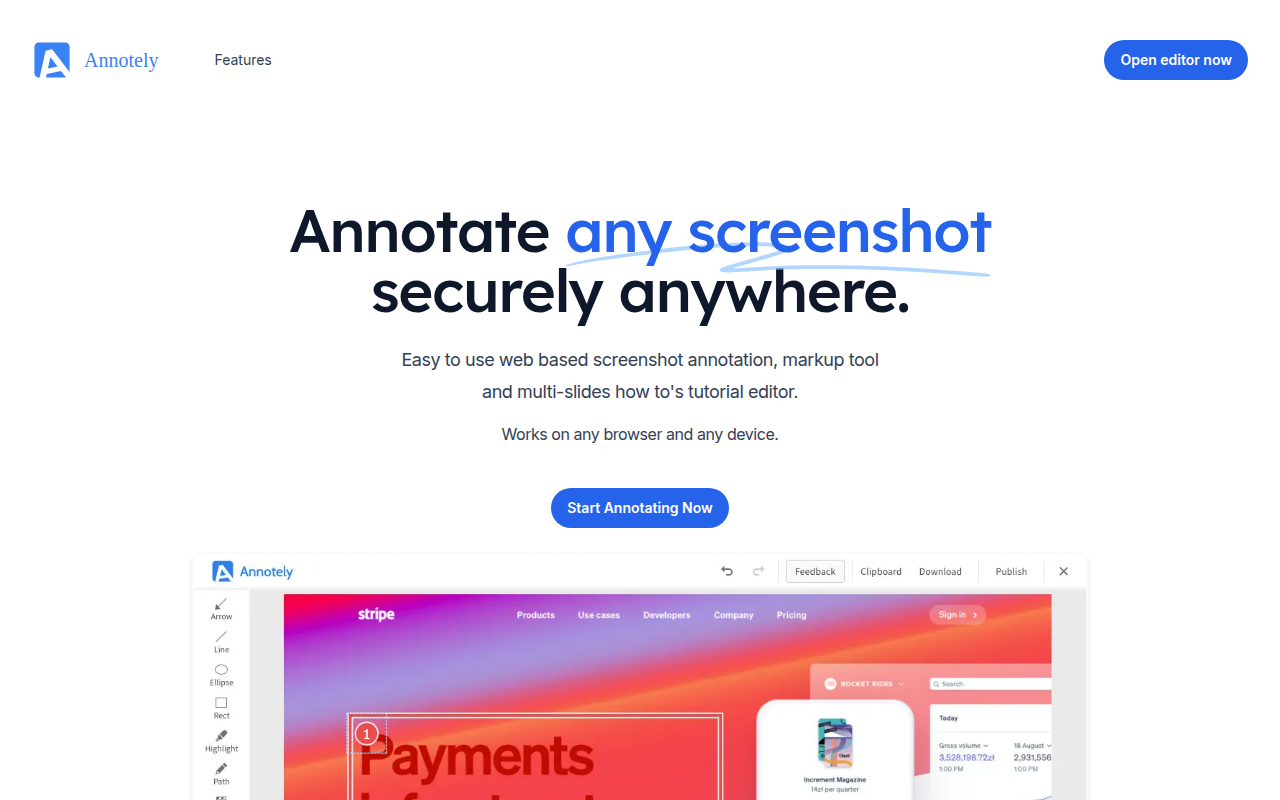
Annotely lets you capture screenshots, annotate images, and add visual feedback directly on webpages. It offers markup tools like arrows, text, shapes, and blur to communicate design changes clearly. Share annotated images via links or export them for async collaboration.
🎯 Why it's useful
Perfect for founders reviewing landing pages, giving design feedback to contractors, or documenting bugs with clear visual context instead of lengthy explanations.
💜 Our take
Dead simple interface that just works—no account required to start annotating. Great for quick feedback loops without the overhead of heavier design tools.
How indie founders use Annotely
Design review feedback
Designers + stakeholders annotate design files for review. Faster than Figma comments for non-designer collaborators.
Bug reporting
QA teams + customers annotate screenshots of bugs with arrows + descriptions. Clear context for development.
Client feedback collection
Agencies show clients work with annotation review. White-label branding on Agency tier for professional client experience.
Marketing copy review
Annotate landing pages with copy + design changes. Stakeholders comment without learning Figma or Webflow.
Annotely is the visual feedback and annotation tool for designers, developers, and product teams, founded as a focused side-project that grew into one of the most-used tools for sharing markup feedback on websites + images. The pitch is direct: communicating design feedback through screenshots + Slack + Figma comments is fragmented and lossy. Annotely provides a focused tool for capturing any webpage or image, annotating with arrows + boxes + text + drawings, and sharing instant feedback links — solving the everyday workflow of 'I need to show someone exactly what I mean on this page.' For agencies + product teams + freelancers managing client work, Annotely is one of the highest-leverage productivity tools available. What makes Annotely effective is the speed + focused scope + sharing model. Most annotation tools (Markup Hero, Loom screenshot, BugHerd) bundle annotation with broader features (project management, bug tracking, screen recording). Annotely's strength is being narrow: open Annotely, annotate the URL or image, share the link — done in 30 seconds. The recipient sees the annotated screenshot via a clean URL without needing an account, can add their own comments, and the back-and-forth happens without anyone learning new tools. The result: dramatic productivity gain over Slack-screenshot-comment workflows. The core feature set: • **Browser extension** — capture any webpage with one click • **Image upload** — annotate existing screenshots or images • **Annotation tools** — arrows, rectangles, circles, text, drawings, blur, numbering • **Color picker** — custom colors for annotations matching brand or feedback contexts • **Multi-page annotations** — annotate multiple pages of a website in one project • **Comments** — recipients add comments without needing accounts • **Sharing via link** — instant public URLs for any annotated project • **Public + private projects** — control visibility per project • **Custom branding** — agencies can brand annotation links with their domain + logo (Pro tier) • **Team workspaces** — multi-user collaboration on shared projects • **Folders + organization** — organize projects across clients or features • **Mobile annotation** — iOS + Android apps for on-go feedback • **Notifications** — Slack/email alerts when collaborators comment or update • **Integrations** — Slack, Trello, Asana, Jira, Linear, Notion, Webhooks • **Project history** — version history for evolving feedback • **API access** — programmatic project creation for automation • **GDPR compliance** — strong privacy posture For designers + developers + product teams + agencies the use cases: • **Design review feedback** — designers + stakeholders annotate design files for review • **Bug reporting** — QA teams + customers annotate screenshots of bugs • **Client feedback collection** — agencies show clients work with annotation review • **Product feature discussions** — PMs annotate competitor sites + suggest improvements • **Marketing copy review** — annotate landing pages with copy + design changes • **Documentation creation** — annotated screenshots for product documentation • **Customer support clarification** — show customers exactly where to click • **Code review for designs** — engineers annotate design files with implementation questions • **Webinar + presentation prep** — annotate slides for collaborative review • **A/B test analysis** — annotate variant differences for stakeholder reviews The pricing is tiered for individual → team → agency. Free tier covers limited projects + basic features (useful for evaluation). Pro at $9/month covers unlimited projects + advanced annotation tools + branded links. Team at $20/user/month adds workspace + admin + integrations. Agency at $39/user/month adds full white-label + client management features. Compared to BugHerd ($33+/user/month bundled with bug tracking) and Markup Hero ($5+/month), Annotely is competitively priced for the focused scope. Where Annotely wins clearly: focused scope means lightning-fast workflow vs broader tools; sharing model (instant link, no account required for recipient) eliminates onboarding friction; annotation tools are polished + comprehensive for typical feedback use cases; mobile apps enable on-go feedback; agency features (white-label branding, client management) serve a specific niche well; pricing is reasonable across tiers; the productivity gain vs Slack-screenshot workflow is genuine + immediate. Where it loses: smaller ecosystem than broader tools (BugHerd, Markup Hero with bigger integration libraries); no built-in project management or bug tracking workflow (intentional but limiting for some teams); for screen recording feedback (vs static annotation), Loom + similar are different category; some advanced features (timeline annotations, version comparison) lag dedicated design review tools (Filestage, Pastel). My take: for designers + product teams + agencies who do annotation feedback regularly — Annotely is the right call and the productivity gain pays for the subscription quickly. The Pro tier ($9/month) is reasonable for solo professionals; Team ($20/user/month) for active teams; Agency tier serves client-services work specifically well. For broader bug tracking + project management workflows, BugHerd may fit better despite higher cost. For screen recording feedback, Loom + similar are the right category. For pure annotation + visual feedback, Annotely's focused approach is hard to beat. The 30-second workflow (capture, annotate, share) saves real time across teams + clients.
Pricing
Free
- ✓Limited projects
- ✓Basic annotation tools
- ✓Useful for evaluation
- ✓1 user
Pro
- ✓Unlimited projects
- ✓All annotation tools
- ✓Branded links
- ✓Standard individual tier
Team
- ✓Workspace + admin
- ✓Team collaboration
- ✓Integrations
- ✓Standard team tier
Agency
- ✓White-label branding
- ✓Client management features
- ✓Custom domain
- ✓Agency client services tier
Free plan available · Pro $6/mo · Team $12/user/mo
Frequently asked questions
Annotely vs BugHerd?
BugHerd ($33+/user/month) bundles annotation with bug tracking + project management workflow. Annotely ($9-$39/user/month) is focused on annotation feedback. For teams needing bug tracking + dev handoff workflow, BugHerd. For pure annotation feedback across designers + clients + stakeholders, Annotely's focused scope is faster + cheaper.
Annotely vs Markup Hero?
Both are focused annotation tools at similar pricing ($5-$9/month). Markup Hero has stronger desktop app + slightly more annotation tools. Annotely has better web-first workflow + sharing model + agency features. For desktop-heavy annotation, Markup Hero. For web-based agency client workflows, Annotely. Functionally similar; pick based on workflow fit.
Is Annotely free?
Free tier covers limited projects + basic annotation tools (useful for evaluation). Pro at $9/month is realistic individual tier (unlimited projects, all tools, branded links). For active feedback workflows, Pro pays for itself in 1-2 days of saved Slack-screenshot back-and-forth.
Can clients comment without accounts?
Yes — Annotely's sharing model is link-based without account requirement for recipients. Send a project URL to client, they view + add comments without signup. Lowest-friction feedback collection in the category. Important: full editing requires Annotely account but comment-only access is account-free.
Annotely vs Loom?
Different categories. Loom is screen recording for async video communication. Annotely is static screenshot/page annotation. For showing 'this is what happens when I click X' workflow, Loom. For 'these specific elements need changes' visual feedback, Annotely. Most teams use both — Loom for walkthroughs, Annotely for specific element feedback.
Reviews
No reviews yet — be the first.