
To-Do List
Want to boost productivity and keep your task management?
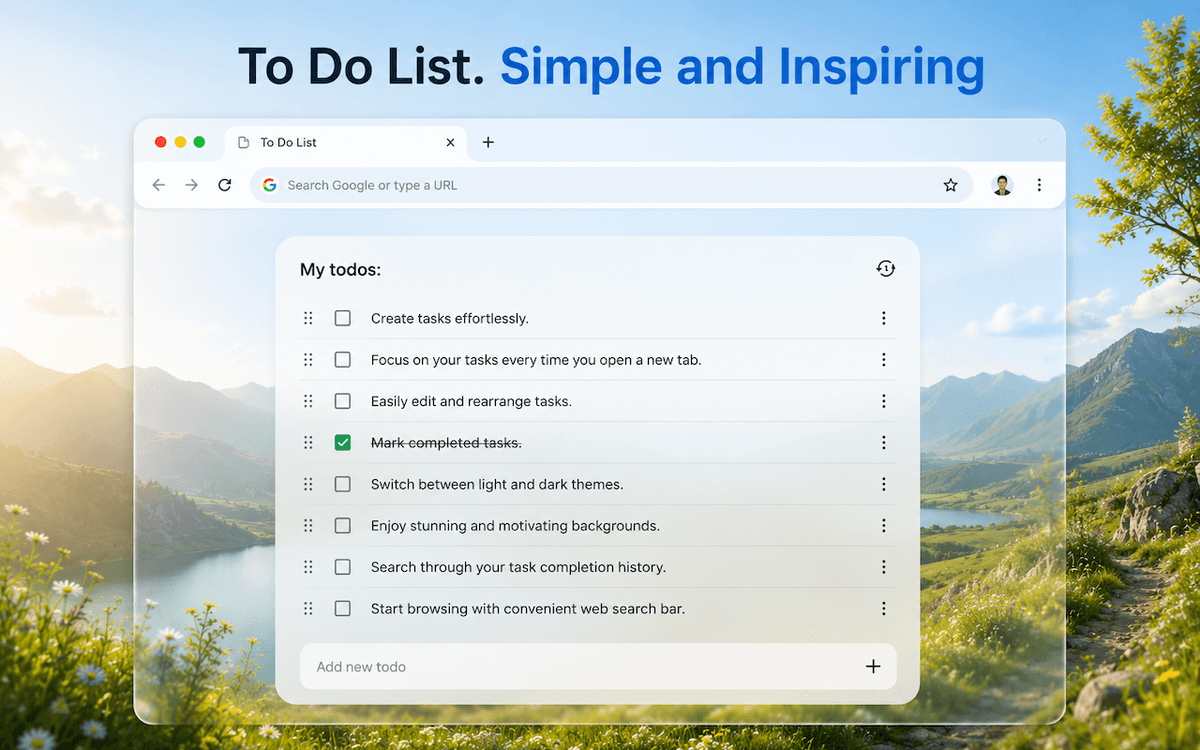
This minimalist to-do list extension for Chrome instantly shows your tasks every time you open a new tab, so your priorities and daily checklist are always in front of your eyes. Most to-do list apps and task management tools are overloaded with features you never touch. That's why we made a clean, simple, and efficient to-do list extension that helps you stay focused, meet deadlines, and track tasks without extra effort. It also works well as a to-do list for ADHD or for anyone who gets distracted easily, because a short, clear list is easier to actually finish than a long one. There's real psychology behind why a short visible list works better than a long one. An unfinished task tends to stay held in memory, while a completed one quietly lets go of attention; psychologists call this the Zeigarnik effect. When you see your to-do list right when you open a new tab, those open loops get a place to land instead of quietly distracting you in the background all day. Checking off a completed task also triggers a small dopamine response, which is why a task history that actually shows your progress feels rewarding rather than like one more obligation. A short list helps too: every extra item adds decision fatigue, the mental cost of choosing what to tackle next. This is roughly the basis for the Rule of Five, which limits a daily list to about five tasks, and the Ivy Lee Method, which suggests choosing six priorities for the day ahead of time, the night before. Fewer options usually means more things done. ❓ What is a Chrome to-do list extension? A to-do list app, or task management app, is a tool for organizing tasks and tracking them against deadlines. The advantage of a to-do list is that it helps track and prioritize your workload, like a persistent daily checklist, without forgetting anything. Key features of the Chrome to-do list extension: ✅ Multiple task lists. ✅ Notes and deadlines. ✅ Dark and light theme support. ✅ One-click adding and editing of items. ✅ Ability to view the history of completed actions. ✅ Drag-and-drop feature for reordering and assigning tasks. ✅ A convenient search bar compatible with all popular search engines. ✅ Style your task list layout with beautiful backgrounds to inspire yourself. ✅ Minimalist to-do list interface for organizing tasks in just a few clicks. How to install the Chrome to-do list extension? 1️⃣ While you're on the extension's page in the Google Chrome browser, click "Add to Chrome" on the extension page. 2️⃣ Once installation is complete and the extension is added, a new tab will open. 3️⃣ In the new tab where the extension opened, click the "Keep" button. This helps prevent the Chrome to-do list extension from being disabled. 4️⃣ Done! Now you can add tasks and start using the extension in your work. Why choose the Chrome to-do list extension? ▸ Stay focused on your tasks. ▸ You won't miss a deadline, because you always know what's on your list. ▸ Keep all your sticky notes on one page. ▸ Track several projects and tasks at once. ▸ Add your most important tasks to Google Calendar to protect your schedule. Try our To-Do List extension for Google Chrome - a lightweight task management app right in your browser that makes working with tasks easier and helps you get more done every day.
Launching in
Get notified the moment it goes live ✨
Share the hype