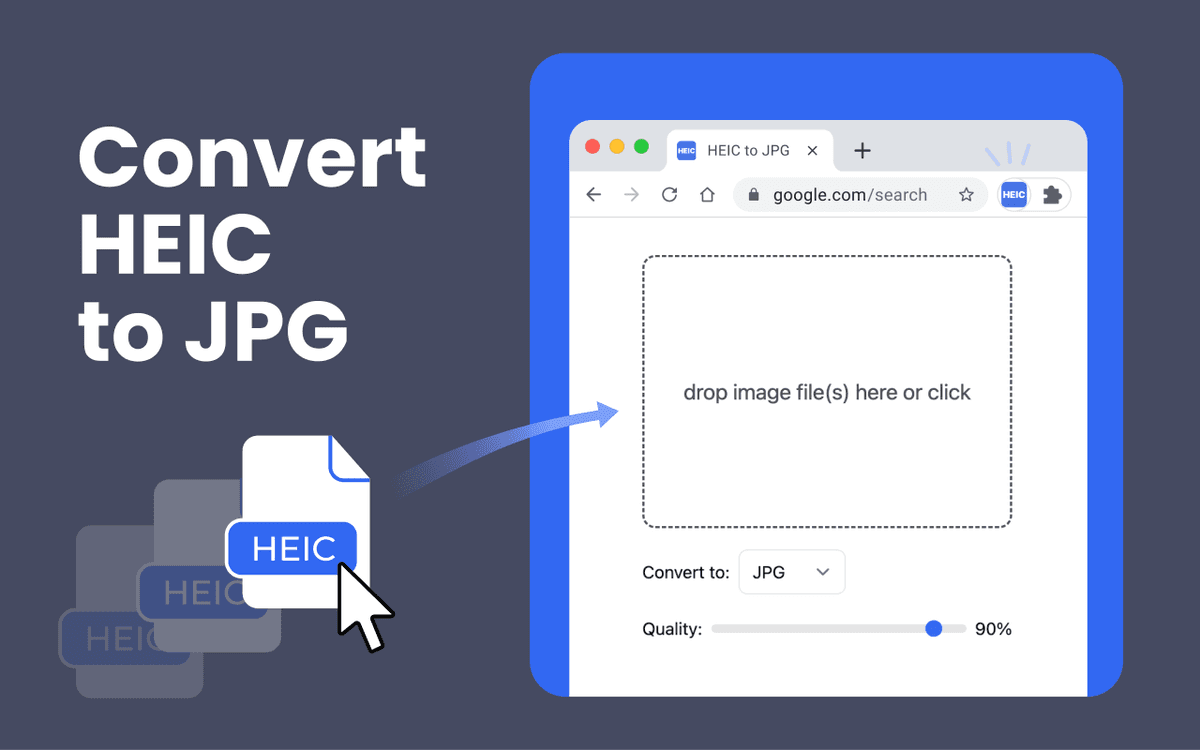

Convert HEIC to JPG
Convert HEIC to JPG locally.
This Chrome extension converts photos on your device and helps you turn iPhone images in HEIC or HEIF format into widely supported JPG files without uploading them to a server. 💫 Three ways to convert HEIC to JPG ✅ File selection: Click “Add Files”, choose your HEIC or HEIF photos, and the extension will convert them automatically. ✅ Drag & drop: Drag one or more image files from your computer directly into the extension window, and the conversion will start. ✅ Batch conversion: Need to convert HEIC to JPG in bulk? Add up to 200 supported files at once. Each file can be up to 100 MB. ↪️ Supported input and output formats The extension supports HEIC, HEIF, WEBP, JPG, PNG, and BMP as input formats and exports to JPG, PNG, or WEBP: ✓ HEIC to JPG ✓ HEIC to PNG ✓ HEIC to WEBP ✓ WEBP to JPG or PNG ✓ JPG to PNG or WEBP ✓ PNG or BMP to JPG, PNG, or WEBP 🔑 Configurable quality — 95% by default Want more control over the results? Before converting, you can adjust the quality of JPG and WEBP output. The default setting is 95%, helping keep iPhone photos sharp while converting them into widely compatible JPG files. 📦 Flexible download options One file → Automatically downloads to your Downloads folder Multiple files → Download individually, download all successful conversions as separate files, or save everything as a ZIP archive Original filenames are preserved — no messy renaming After downloading, you can open the destination folder. 🔒 100% private — your files never leave your device This is what sets our HEIC file converter apart from many online HEIC to JPG converters. The extension processes photos locally in your browser: files are never uploaded to a server, stored online, or shared with anyone. The extension does not read web pages and does not require an account. 📥 How to install ▸ Click “Add to Chrome.” ▸ Confirm by clicking “Add extension.” ▸ The icon will appear in your toolbar — you’re ready to convert HEIC to JPG. 🔄 How to convert HEIC to JPG 1️⃣ Open the extension and add your HEIC files by dragging and dropping them or by selecting files. 2️⃣ Choose JPG as the output format. 3️⃣ Let the extension process your files locally in the browser. 4️⃣ Open your Downloads folder to access the converted JPG files. 👉 Why convert HEIC to JPG? HEIC works great on iOS and macOS, and iOS devices can sometimes transfer iPhone photos as JPGs for compatibility. However, if you already have a HEIC file, you may still need to convert it to open it in Windows, share it with Android users, upload it to a website, send it by email, edit it in older software, or use a photo printing service. JPG is compatible with almost every device and application, although it does not preserve Live Photos functionality. 📚 What is HEIC? HEIC stands for High Efficiency Image File Format. It has been Apple’s default photo format on iPhone and iPad since iOS 11. It uses HEVC compression and can produce files up to 50% smaller than JPG while maintaining similar image quality. A HEIC file may use the .heic or .heif extension and can store multiple images, image sequences, transparency, derived images, and Live Photos data. The format is efficient, but compatibility is more limited on Windows, Android, web browsers, and older applications. 📚 HEIC vs JPG: quality, size, and compatibility HEIC uses HEVC compression and is standardized as part of MPEG-H Part 12. It is highly efficient and can preserve excellent visual quality at smaller file sizes. JPG (Joint Photographic Experts Group) uses lossy compression and supports the .jpg and .jpeg extensions. It remains the more reliable choice when images need to work everywhere. If a HEIC file contains a Live Photo, image sequence, or other HEIC-specific data, the conversion exports only a standard still image. Video or sequence functionality is not preserved in JPG. 📚 Online HEIC to JPG converters vs local conversion Online HEIC to JPG converters are web-based tools. They are often free and easy to use, and many support batch processing. However, file limits, security, privacy policies, and metadata handling vary from service to service. Local conversion keeps everything on your device, making it a great choice for personal photos and everyday image processing. 📚 Why choose this HEIC file converter? ✅ Convert HEIC to JPG locally in a dedicated extension tab ✅ Batch conversion of up to 200 supported files ✅ Maximum file size of 100 MB per file ✅ Output formats: JPG, PNG, WEBP ✅ Input formats: HEIC, HEIF, WEBP, JPG, PNG, BMP ✅ Adjustable quality settings ✅ Files stay on your device; no account required ✅ Works on Windows, Mac, Linux, ChromeOS, and any operating system running Chrome
Launching in
Get notified the moment it goes live ✨
Share the hype